> ## Documentation Index
> Fetch the complete documentation index at: https://chainlit-5-wd-prompt.mintlify.site/llms.txt
> Use this file to discover all available pages before exploring further.
# Step
A Step is a fundamental building block within a [Thread](/concepts/thread) that represents a single unit of interaction or operation.
Steps are versatile and can encompass various types of activities, such as sending a message, making a call to a large language model (LLM), or executing a custom function.
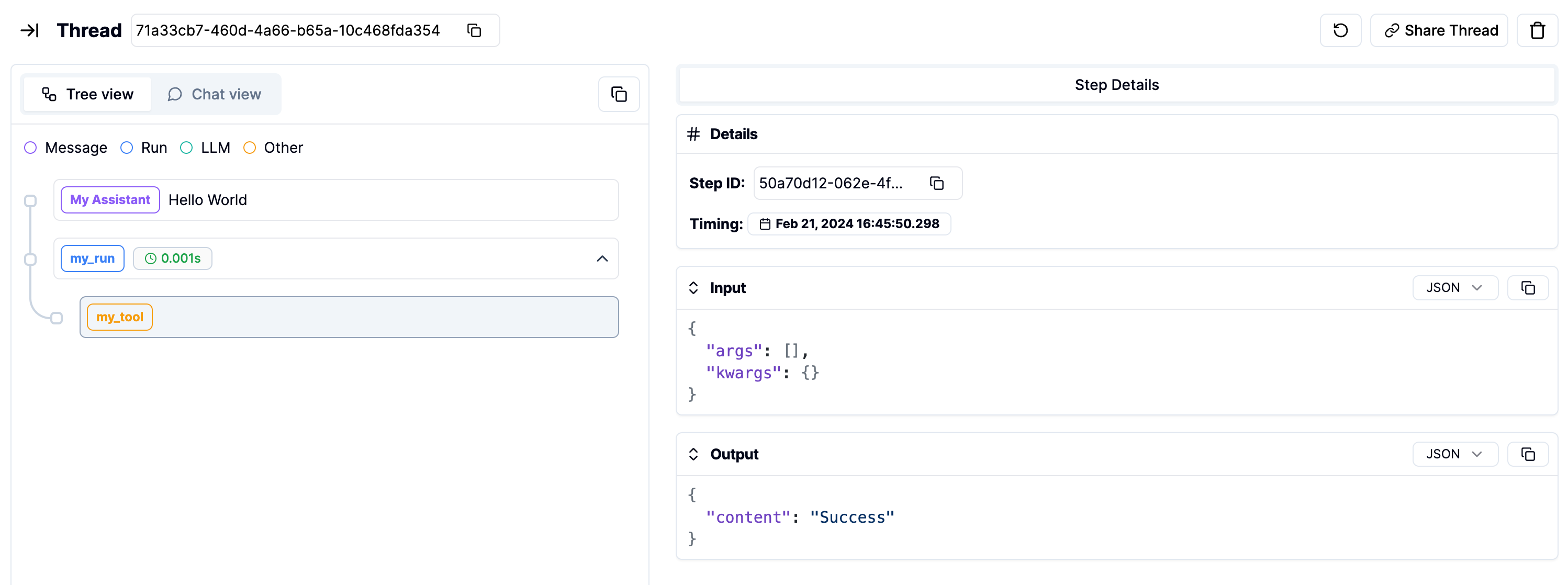
By organizing interactions into Steps, the Literal platform enables users to structure, visualize, and analyze the flow of conversations or processes in a granular and meaningful way.
## Types of Steps
There are several types of Steps, each serving a distinct purpose:
### Run
A `run` step signifies the execution of an agent or a chain that takes multiple steps. Unlike other step types, it does not have to be part of a Thread.
This is useful if you are monitoring non conversational use cases.
### Message
A `message` step represents a message exchange within a Thread. There are two primary subtypes of message steps:
* **User Message**: This type of step is used to log messages sent by the user. It helps in tracking user inputs and requests.
* **Assistant Message**: This step logs messages generated by the assistant or application in response to user inputs.
### Tool
A `tool` step is used to document interactions with external tools or services. This step type is particularly useful for applications that interact with external APIs, databases, or services.
### LLM
An `llm` step is used to document interactions with large language models (LLMs). This step type is particularly useful for applications that leverage AI models, such as GPT-3, for generating responses, content, or performing analysis.
## Implementing Steps
```python Python
import os
from literalai import LiteralClient
client = LiteralClient(api_key=os.getenv("LITERAL_API_KEY"))
@client.step(type="tool")
def my_tool():
# Implement your custom logic here
return "Success"
# You can change the step type
@client.step(type="run")
def my_run():
# Implement your custom logic here
my_tool()
return "Success"
with client.thread() as thread:
client.message(content="Hello World", type="assistant_message", name="My Assistant")
my_run()
# Network requests by the SDK are performed asynchronously.
# Invoke flush_and_stop() to guarantee the completion of all requests prior to the process termination.
# WARNING: If you run a continuous server, you should not use this method.
client.flush_and_stop()
```
```typescript TypeScript
import { LiteralClient, Step, Thread } from "@literalai/client";
const client = new LiteralClient('your_api_key');
// Tool example
async function myTool(run: Step) {
const tool = run.step({
name: "My Tool",
type: "tool",
input: { content: "My Tool Input" },
});
// Implement your custom logic here
const response = { content: "Success" };
tool.output = response;
await tool.send();
return response;
}
// Run example
async function myRun(thread: Thread) {
const run = thread.step({
name: "My Run",
type: "run",
input: { content: "My run Input" },
});
await myTool(run);
// Implement your custom logic here
const response = { content: "Success" };
run.output = response;
await run.send();
return response;
}
async function main() {
const thread = client.thread();
// Message example
await thread
.step({
output: { content: "Hello World" },
type: "assistant_message",
name: "My Assistant",
})
.send();
await myRun(thread);
}
```
## Visualize the Steps on Literal